Use Solvd in the AI you already use
Bring your company records, Health Check, workflows, contract review, and approval controls into Claude or ChatGPT. Your plan and permissions work exactly as they do in Solvd.
Secure server address
https://foundersform.ai/api/mcpChoose your assistant
Follow the setup guide
Claude custom connector
- Step 1
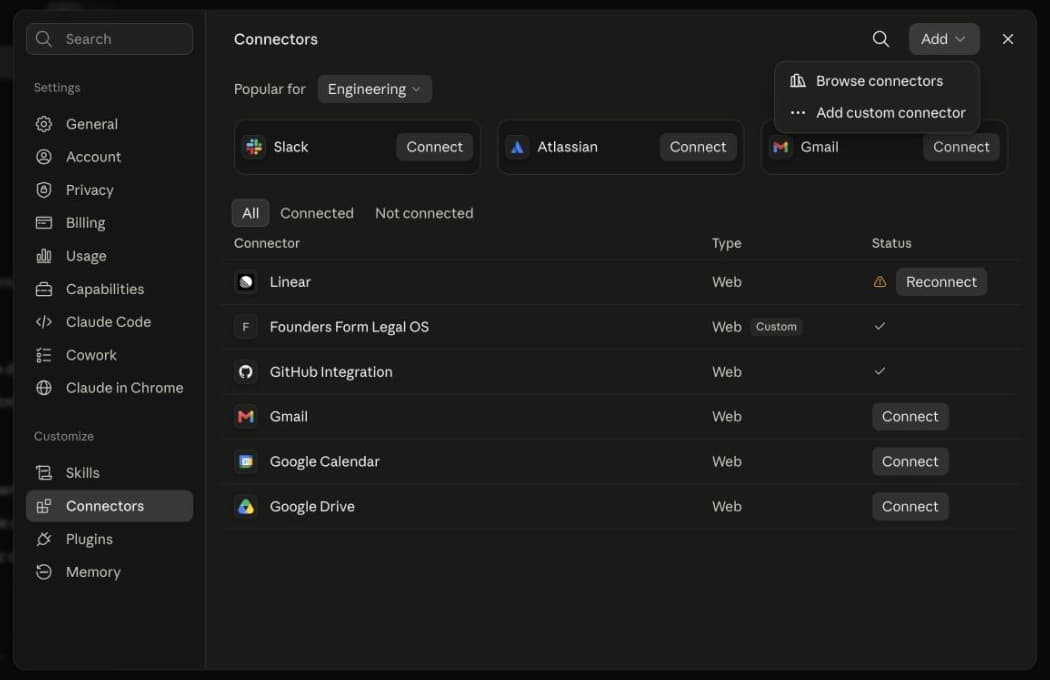
Open Connectors
In Claude, open Customize → Connectors, then select Add connector → Add custom connector. Older Settings links may direct you to Customize.
- Step 2
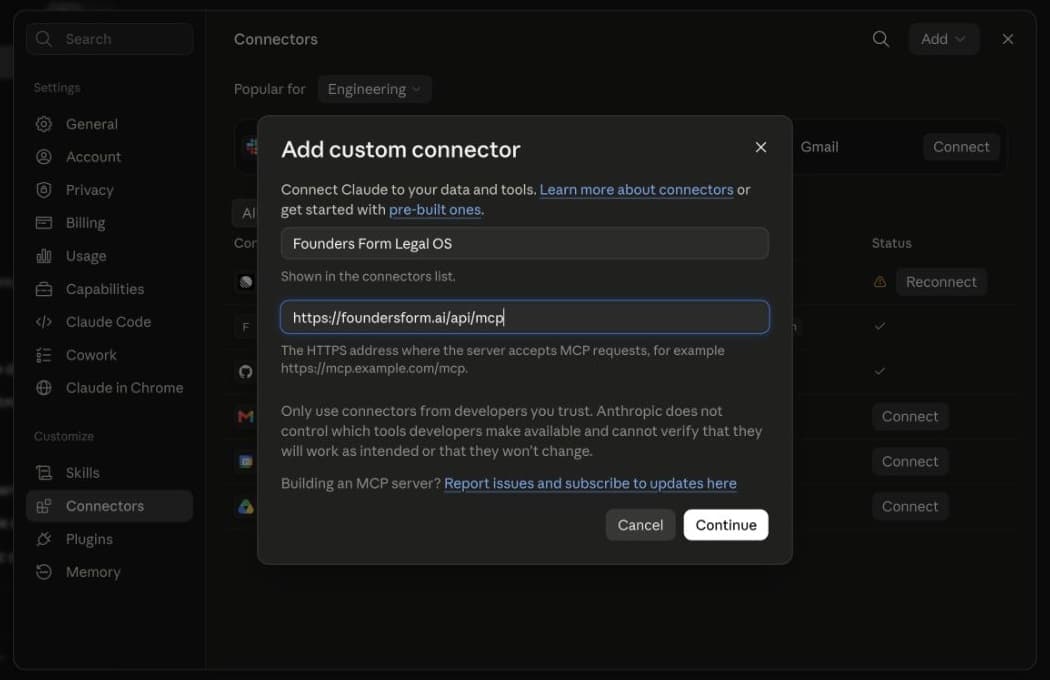
Enter the Solvd details
Use “Solvd Legal OS” as the name and paste the server address shown above. Select Continue, keep Sign in now and Register automatically selected, then select Add.
- Step 3
Sign in and allow access
Select Connect to open Solvd’s secure sign-in. Use the account that has your company, review the requested access, and select Allow. Enable the connector in a new chat before sending the test prompt.
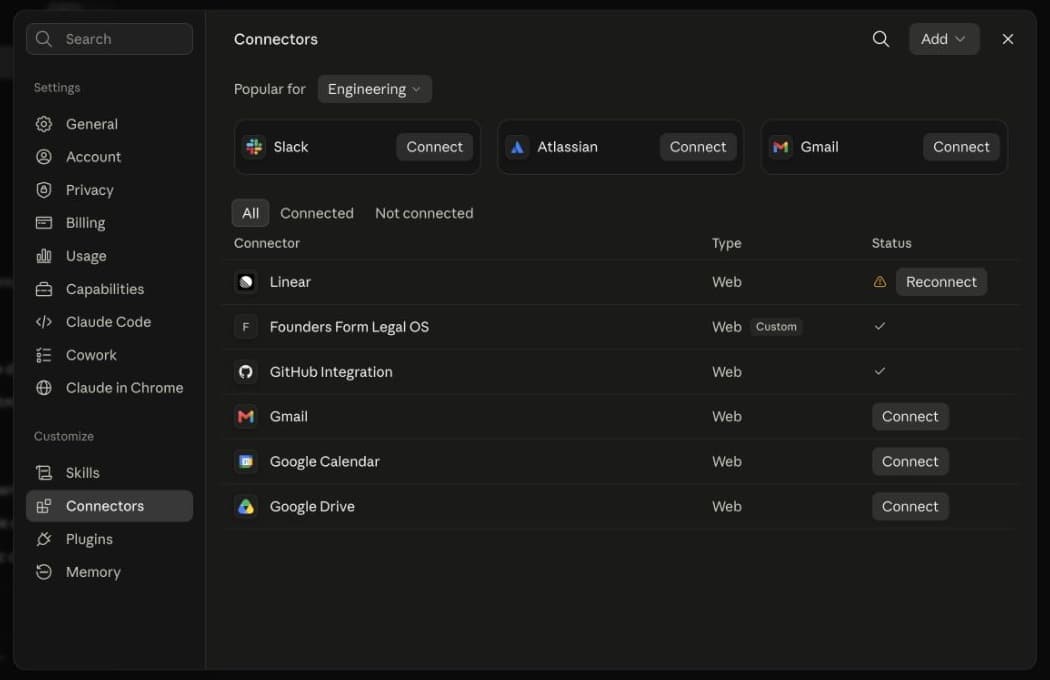
Confirm the connection
Try a safe, read-only prompt
Use Solvd to tell me which company I can access and what I can do with my current plan. Do not make any changes.
What stays protected
Your Solvd access
The connection only sees companies and actions your signed-in account can access.
Plan and prerequisite checks
Health Checks, workflows, and contract editing keep the same server-side rules as Orbit.
Approval before changes
The assistant must ask before starting work, applying edits, finalizing, or sending signature packets.
What you can do
- Search extracted terms and obligations in uploaded documents
- Read or run free Health Checks for your company
- Inspect and start workflows after prerequisite checks
- Review and edit contracts with active Operator access
- Approve prepared documents and send signature packets
Troubleshooting
I do not see the Solvd tools
Confirm the connection is enabled, start a new chat, and ask the assistant to use Solvd explicitly.
It says my plan does not include an action
That is the same access check used in Orbit. Open Solvd to review your plan; purchasing and upgrades stay on our secure billing page, not inside the AI assistant.
The connection stopped working
Disconnect Solvd in Claude or ChatGPT, add it again with the server address above, and complete sign-in.
Connecting needs a Solvd account.
Your assistant signs in as you and only sees the companies you can access.